
10 Best Free Websites to Learn Coding in 2026
You do not need to spend a single rupee to learn coding in 2026. These 10 websites offer world-class programming education completely free.
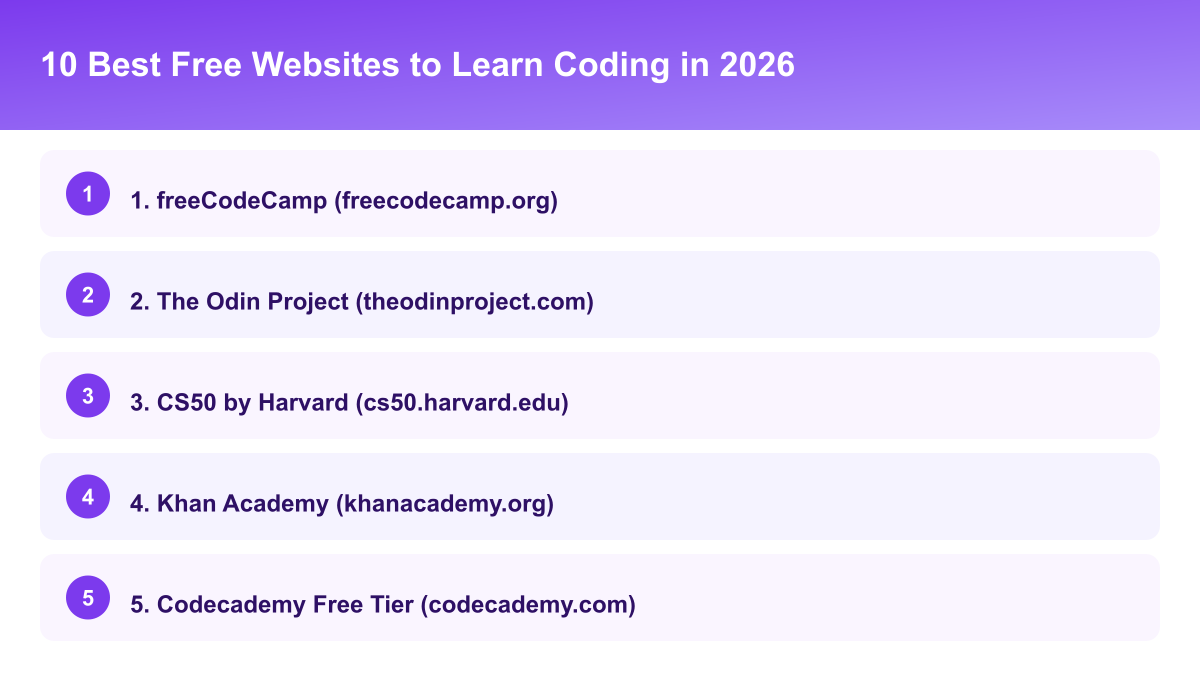
1. freeCodeCamp (freecodecamp.org)
Best for: Web development, Python, data science. freeCodeCamp offers 3,000+ hours of free coding curriculum, and you learn by doing — every lesson requires you to write code.
Certificates available:
- Responsive Web Design
- JavaScript Algorithms and Data Structures
- Front End Development Libraries
- Data Visualization
- Back End Development and APIs
- Data Analysis with Python
- Machine Learning with Python
All certificates are free and respected by employers.
2. The Odin Project (theodinproject.com)
Best for: Full stack web development. The most comprehensive free web development curriculum online, covering HTML, CSS, JavaScript, React, Node.js, and databases. It takes 6-12 months to complete, but you come out the other side fully job-ready.
3. CS50 by Harvard (cs50.harvard.edu)
Best for: Computer science fundamentals. The most popular online course in the world — it teaches you how computers work, not just syntax. Languages covered: C, Python, SQL, JavaScript. Free to audit; $149 if you want the verified certificate.
4. Khan Academy (khanacademy.org)
Best for: Complete beginners and school students. Khan Academy covers programming basics in a fun, visual way — perfect if you have never written a single line of code. Topics include HTML, CSS, JavaScript, SQL, and computer science basics. Completely free, no account needed to start.
5. Codecademy Free Tier (codecademy.com)
Best for: Interactive learning. Codecademy's free tier includes courses in Python, JavaScript, HTML/CSS, SQL, and more — you write code directly in the browser with instant feedback. The Pro version adds more content, but the free tier is enough to get started.
6. MIT OpenCourseWare (ocw.mit.edu)
Best for: Deep computer science learning. MIT publishes all their course materials free online, including lecture videos, assignments, and exams from actual MIT courses. Best course to start with: Introduction to Computer Science and Programming Using Python (6.0001).
7. Google Developers Training (developers.google.com)
Best for: Android, web, cloud, AI. Google's official training platform offers free courses on Android development, web technologies, Google Cloud, and machine learning — completing them adds credentials directly to your Google developer profile.
8. Microsoft Learn (learn.microsoft.com)
Best for: Azure, C#, .NET, Power Platform. Microsoft's free learning platform has 1,000+ hours of content, with short, practical modules (15-45 minutes each). Learning paths are free; official Microsoft certification exams are paid.
9. W3Schools (w3schools.com)
Best for: Quick reference and HTML/CSS/JavaScript basics. W3Schools is the most visited programming reference site in the world, with clear examples for every HTML tag, CSS property, and JavaScript function. It's not a structured course — more of a reference tool to use alongside other resources.
10. Exercism (exercism.org)
Best for: Improving coding skills through practice. Exercism offers coding exercises in 67 programming languages with free mentorship from experienced developers — ideal for intermediate learners who want to sharpen their skills with real feedback.
Which One I'd Actually Start With
If I were starting from zero again, I'd pick freeCodeCamp over the others, mostly because the "learn by doing" format keeps you writing code from lesson one instead of watching videos and hoping it sticks. CS50 is excellent, but it's demanding, and jumping in with zero programming background can be discouraging in the first couple of weeks. Save it for once you already have some basic comfort with code under your belt.
How to Use These Resources Effectively
- Pick one language and one platform — do not jump between them
- Code every day, even if just for 30 minutes
- Build a project after every major topic you learn
- Push everything to GitHub to build your portfolio
- Apply for jobs or internships once you have 3 projects
Don't Skip the Boring Parts
Every one of these platforms includes exercises that feel tedious compared to building something flashy, and it's tempting to skip straight to projects. Resist that. The boring repetition, writing the same kind of loop for the twentieth time, is where the skill becomes automatic rather than something you have to look up every time.
Free Doesn't Mean Unstructured — Build Your Own Structure
The biggest difference between people who finish these platforms and people who bookmark them and forget is a simple weekly check-in with themselves: what did I complete this week, and what's next. None of these ten platforms enforce a schedule on you the way a paid bootcamp would, so that structure has to come from you — even something as basic as a recurring calendar reminder every Sunday to plan the coming week's modules.
Mixing Platforms Without Losing Focus
It's fine to use W3Schools as a reference while working through freeCodeCamp's curriculum, that's exactly what it's built for. But treat one platform as your primary structured path and the others as lookup tools, not as parallel courses competing for the same hours. Running two full structured curricula at once is a common way people end up with two half-finished courses instead of one completed one.
Tracking Progress So You Can See It Add Up
Keeping a simple running list of every module or project completed, even a single line per week in a notes app, turns an otherwise invisible slog into something you can look back at and see real movement in, which matters more than it sounds for staying motivated across months two and three when the initial excitement of starting has already worn off and the material has stopped feeling new. A short weekly review of that list, even just skimming it before starting the next session, works surprisingly well as its own kind of momentum, and it costs nothing beyond thirty seconds of looking at what you already wrote down.
Pick One and Start
The resources exist — the only thing you need to add is consistency. Pick freeCodeCamp if you want web development, CS50 if you want computer science fundamentals, or The Odin Project if you want full stack development. Start today; your future self will thank you.
Frequently Asked Questions
Was this article helpful?
Written by
Muthu
I'm Muthu, a software engineer based in India who writes about technology, career growth, and personal finance on the side. I started Techpulzo because most content in these spaces online is either too shallow to be useful or too jargon-heavy to actually help you decide anything — so every article here starts from a real question I'd want answered myself, and tries to show the actual numbers and trade-offs instead of surface-level advice.
Comments
No comments yet. Be the first to share your thoughts!
Related Posts

SQL Basics: The Queries Every Beginner Should Know
Ten queries that cover most of what you'll use day to day, with runnable examples
Ten SQL queries that cover most day-to-day database work, with runnable examples — SELECT, filtering, joins, aggregation, and the mistakes that trip up beginners.

How HTTPS Works — What's Really Happening Behind the Padlock
The genuinely clever trick that lets two strangers agree on a secret while being watched
Every time you see the padlock icon, your device and a server just agreed on a shared secret in public, safely. Here's the actual mechanism — the key exchange and the certificate trust system — and what the padlock does and doesn't guarantee.
Git and GitHub for Complete Beginners: A Step-by-Step Guide
From your first commit to your first pull request, without the jargon
A practical walkthrough of Git and GitHub — what problem version control solves, the five commands you'll use daily, and how to set up your first repository.

How Database Indexes Work — Why the Same Query Can Take 2ms or 8 Seconds
The phone book analogy that actually explains it, and how to find the problem with EXPLAIN
The same query on the same table can take milliseconds or seconds depending entirely on whether the database has an index to use. Here's what an index does, and when adding one hurts more than it helps.